
An online sugal app is a mobile game built around casino-style slots and table games, and many people download one expecting clear answers about coins, purchases, and safety. Most listings do not provide them. This guide explains how these apps typically work, from free-to-play coin systems and bonus rounds to in-app purchases, age requirements, and privacy settings. It also covers what to check before installing, including refund paths, redemption rules, and responsible gaming tools. Where real money or prizes are involved, legal availability depends on where you live, so confirm local laws before you play.
Online Sugal App Basics: What Free Social Casino Apps Offer

What “Sugal” Means for Players
“Sugal” is a Filipino word meaning to gamble or bet. Players use the term online sugal app to describe casino-style games played on a phone or computer. An online sugal app usually copies the look and feel of a real casino.
These apps generally fall into two groups:
- Free social casino apps: Players use virtual coins with no cash value.
- Real-money apps: Players deposit funds and can withdraw cash winnings.
Knowing the category helps you set expectations before you download.
Free-to-Play Versus Real-Money Sugal App Options
Free-to-play apps let you spin and play without spending money. Real-money apps require deposits and carry financial risk. The main differences include:
- Currency: Free apps use virtual coins. Real-money apps use actual currency.
- Cash-outs: Most free apps do not allow withdrawals. Real-money apps do.
- Regulation: Real-money platforms need licenses in each region. Free apps face fewer rules.
- Cost: Free apps cost nothing to enter, while real-money play can lead to losses.
Tip: Read the app store listing and terms before installing. Confirm the currency type so you know what you are downloading.
Common Features in Free Sugal App Versions
Most free social casino apps share a core set of features:
- Slots: Themed reels with bonus rounds, such as free spins or pick-and-win games.
- Table games: Blackjack, roulette, and poker variants that use coins for bets.
- Daily bonuses: Free coins claimed once every 24 hours.
- Social tools: Friend lists, gift sending, chat, and leaderboards.
For example, a player might log in each day to collect free coins. They can then send gifts to friends or compete for a weekly leaderboard spot. As a result, the app feels more like a shared experience than a solo game.
Sugal App Device Compatibility: Phones, Tablets, and PCs
Most apps run on iOS and Android phones and tablets. Some providers also offer browser-based or desktop versions for larger screens. Before installing, consider these points:
- Check the minimum operating system. Older devices may not support newer versions.
- Confirm available storage. Many casino apps need several hundred megabytes.
- Link your account. This keeps your progress safe if you switch devices.
Best practice: Test the app with a short session first. Watch for lag, overheating, or screen issues before you invest time in it.
How Coins, Bonuses, and Jackpots Work in Most Apps

How Free Coins Are Earned and Used
Most free social casino apps give players virtual coins. These coins have no cash value and cannot be withdrawn. They exist only to let you play.
Common ways to earn coins include:
- Daily login rewards: Opening the app each day often unlocks a small bonus.
- Level-up gifts: Reaching a new level usually adds extra coins.
- Free refills: Many apps restore a basic balance when it drops to zero.
- Optional video offers: Watching a short ad may pay a modest reward.
Coins are spent on each spin. Higher bets can produce bigger wins, but they also drain your balance faster. Therefore, choose a bet size that fits your total coins.
Bonus Rounds, Free Spins, and Feature Mechanics
Bonus rounds are special events triggered by specific symbol combinations. For example, three scatter symbols might unlock ten free spins. During these spins, you usually do not pay extra coins.
Feature types vary by game. Common examples include:
- Free spins: A set number of spins played without deducting your bet.
- Multipliers: Wins are multiplied by a fixed value, such as 2x or 5x.
- Pick-and-win games: You select items to reveal hidden prizes.
- Expanding wilds: Wild symbols grow to cover entire reels, improving win chances.
In addition, features can stack. A free spin round with a 5x multiplier can turn a modest win into a much larger payout.
Jackpot Structures: Progressive, Fixed, and Tournament Prizes
Jackpots generally fall into three categories:
- Progressive jackpots: The prize grows as players place bets. It resets to a base amount after someone wins.
- Fixed jackpots: The prize stays the same every time it is won.
- Tournament prizes: Players compete on leaderboards for a set period, and top ranks share coin rewards.
For instance, a progressive jackpot might start at 100,000 coins and climb with every spin. Consequently, the amount can rise quickly during busy hours.
Why Short-Term Results Vary
Each spin is determined by a random number generator (RNG). This software produces outcomes independent of previous spins. As a result, past results cannot predict the next one.
However, short-term streaks can feel meaningful. They usually are not. Ten losing spins in a row is normal in high-volatility games. Similarly, a lucky run of big wins does not reveal a pattern.
Tips for realistic expectations:
- Treat your starting coins as an entertainment budget.
- Check the game’s info screen for return-to-player (RTP) details, where listed.
- Set a session time limit before you start playing.
- Avoid chasing losses by repeatedly refilling coins.
In-App Purchases, Pricing, and Spending Controls
Virtual Currency Pack Prices
Most free social casino apps sell virtual coins in bundles. Players use these coins to place bets in games. The coins have no cash value and cannot be withdrawn.
Pack prices usually follow a tiered structure. For example, a small pack might cost $0.99, a mid-sized pack $9.99, and a large bundle $49.99 or more. Larger packs often include extra coins per dollar, so the per-coin cost drops.
Tip: Compare the price per coin, not the pack name. A “mega” pack is not always the better value.
Purchases and Game Odds
Purchases generally do not change the odds of winning. Slot outcomes come from a random number generator, which runs independently of your spending. Buying coins simply gives you more chances to play.
However, purchases can affect how quickly you progress. Some apps use:
- Level-up requirements that unlock faster with paid coins
- Limited-time offers that bundle bonus coins
- Premium games that require a higher bet size to access features
Note: Check the app’s terms or help section. Reputable developers publish how their games work.
Turning Off In-App Purchases
You can block purchases at the device level, which works even if you forget your limits in the app.
On iPhone or iPad:
- Open Settings and tap Screen Time.
- Select Content & Privacy Restrictions.
- Tap iTunes & App Store Purchases, then choose In-app Purchases and set it to Don’t Allow.
On Android:
- Open the Google Play Store and tap your profile icon.
- Go to Settings, then Authentication.
- Select the option to require authentication for purchases.
Parents can also use family approval tools to review every purchase request.
Setting a Budget and Reviewing History
A written monthly budget keeps spending predictable. Decide on a fixed amount you can afford to lose, then treat it as entertainment spending. Once the limit is reached, stop buying coins until the next month.
Review your purchase history regularly. Both major app stores show past transactions in your account settings. Look for patterns, such as repeated small purchases that add up quickly.
Best practice: Check your history weekly. If you spend more than planned, turn off purchases right away.
Age Requirements, Legal Availability, and Privacy for Any Online Sugal App

Reconciling Store Ratings With Stated Age Limits
App stores assign age ratings, such as 12+, 17+, or 18+. Developers also list a minimum age in their terms of service. These two numbers do not always match.
Best practices for checking age rules:
- Read the rating on the App Store or Google Play listing.
- Open the terms of service and search for “minimum age.”
- Look for descriptors such as “simulated gambling” or “contains gambling themes.”
If the store shows 12+ but the terms require 18+, follow the stricter number. For example, a teenager may see a 12+ rating and assume the app is safe to use. However, the terms still bar them from purchases and prizes.
Checking Legal Availability of a Sugal App in Your Area
Laws on social casino apps vary widely. Some countries restrict them, while others allow free play but ban cash prizes. Rules can also change between states or provinces.
Common situations include:
- Free-play apps with no cash value, which are often permitted.
- Prize-based apps that allow redemption for money, which may face stricter rules.
- Blocked regions, where downloads or sign-ups are refused.
To verify legality, check the developer’s official rules page. Then review your local gambling regulator’s website. Consequently, you avoid relying on rumors from forums or social media.
Identity Checks for Sugal App Prize Redemptions
Apps that offer prizes usually verify identity before paying out. This step may require a government ID, proof of address, or a selfie. Expect these checks before any redemption is processed.
For example, an app may ask for a driver’s license before approving a gift card request. In addition, some apps impose minimum balances or waiting periods before cashouts.
Be cautious with unusual requests:
- Requests to pay a fee to unlock winnings
- Requests for your bank password or full card number
- Messages from unofficial accounts posing as support staff
Legitimate operators never ask for passwords. Therefore, treat these requests as scams and stop communicating immediately.
Data, Location, and Ad Permissions in a Sugal App
Many apps collect device details, usage history, and advertising identifiers. Some also request location access to confirm you are in an eligible region. Review each permission carefully.
Privacy policies explain what is collected and why. Look for statements about sharing data with advertisers. Similarly, check whether you can opt out of personalized ads.
Practical steps include:
- Deny precise location unless the app clearly needs it.
- Disable contacts, photo, and microphone access.
- Review ad tracking settings in your phone’s privacy menu.
- Use a separate email address for gaming accounts.
As a result, you limit how much personal information the app can share.
Responsible Gaming Tools and Where to Get Help
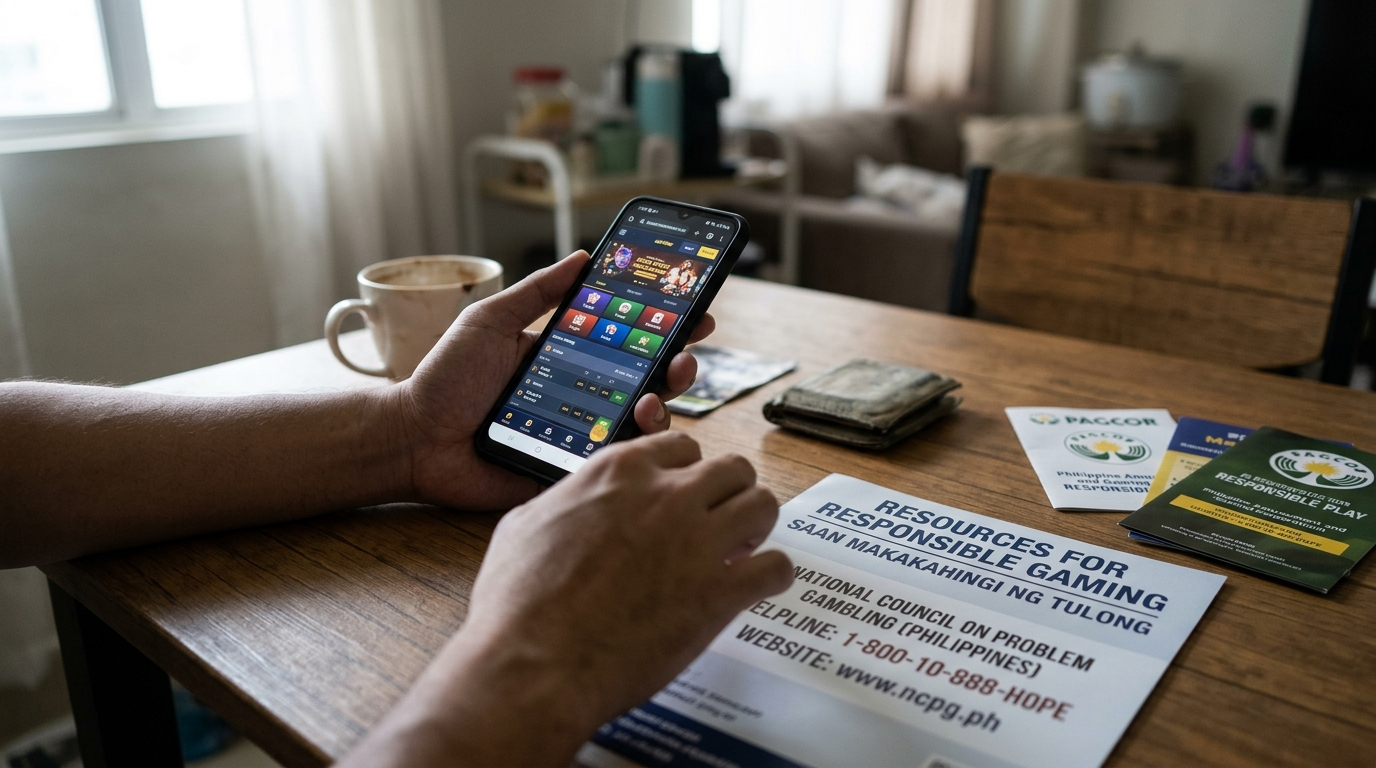
Free games can be entertaining, but they can also encourage overspending or long sessions. Knowing the warning signs and the built-in controls helps you stay in charge. This section explains how to spot a problem early and where to find support.
Signs Your Play Is Becoming a Problem
Pay attention to these warning signs:
- Chasing losses: You buy more coins to win back progress you feel you lost.
- Playing longer than planned: Sessions regularly run past the time you set.
- Hiding spending: You avoid checking purchase history or hide charges from others.
- Neglecting responsibilities: Work, school, sleep, or relationships begin to suffer.
- Feeling restless: You become irritable or anxious when you cannot play.
A simple self-check helps. Ask yourself whether you would feel comfortable if a family member saw how much you spend and play. If the answer is no, pause and reflect.
Built-In Sugal App Tools for Limiting Play
Many reputable apps include controls in their settings. Look for these options:
- Spending limits: Set a monthly cap on purchases.
- Purchase confirmation: Require a password or fingerprint for every buy.
- Session reminders: Receive alerts after a chosen amount of playtime.
- Activity summaries: Review how much time and money you spent.
Best practice: Set your limits before you start playing. Decisions made during a losing streak are often emotional. Additionally, use your phone’s screen time or parental control features for an extra layer of protection.
Sugal App Self-Exclusion and Cooling-Off Options
Self-exclusion blocks your access for a set period. A cooling-off period is a shorter pause, often lasting days or weeks. For example, you might take a seven-day break after a stressful week.
If an app does not offer these features, you can still take action:
- Uninstall the app and remove saved payment methods.
- Ask your bank whether it can block transactions to gaming merchants.
- Turn off push notifications to reduce temptation.
Where to Get Help
Independent organizations offer free, confidential support. Examples include:
- National problem gambling helplines, such as 1-800-GAMBLER in the United States
- GamCare, a support service in the United Kingdom
- Local counselors or mental health services, which can address stress or compulsive behavior
Search for your country’s official gambling support service to find current contact details. If you ever feel in immediate danger, contact local emergency services.
Talking to Family or Friends About Concerns
Starting the conversation can feel awkward. However, honest and calm discussion often leads to better outcomes. Focus on specific observations rather than blame. For example, say, “I noticed you spent more this month than usual. How are you feeling about it?”
Consequently, the other person feels supported rather than judged. Offer to set limits together, and ask a trusted person to check in with you regularly. As a result, you gain accountability and a clearer path to healthier habits.
Refunds, Support, Updates, and How to Choose a Safer App
Sugal App Refund Requests and Documenting Failed Purchases
App stores usually handle refunds, not the app developer. Acting quickly improves your chances of approval. If a purchase fails, document it right away:
- Take a screenshot of the error message and your coin balance.
- Save the order receipt from your Apple or Google account.
- Note the date, time, and device you used.
- Record the product name and amount charged.
Keep these records together. For example, a clear screenshot showing no coins after a charge makes your request much stronger.
Support Expectations and Common Troubleshooting
Most developers reply within one to three business days. Therefore, include all relevant details in your first message. Mention your device model, app version, and the steps that caused the problem.
Try these fixes before you contact support:
- Restart the app and check your internet connection.
- Update to the latest version through your app store.
- Restore purchases using the store’s built-in option.
- Clear the app cache on Android devices.
However, do not skip the documentation step. Support teams may still need your receipts to verify a charge.
Reading Version History and Known Issues
Version history shows what changed in each update. Look for notes about payment fixes, crash repairs, or security patches. In addition, frequent complaints in recent reviews can signal unresolved problems.
A developer that publishes clear release notes often communicates more openly. As a result, you can judge reliability before you install.
Pre-Install Checklist for Comparing Each Sugal App
Before downloading, compare each app against this checklist:
- Developer identity: Is the publisher clearly named, with a contact method?
- Update frequency: Has the app been updated in the past few months?
- Age rating: Does the rating match your age and local rules?
- Permissions: Does the app request access it does not need, such as contacts?
- Support options: Is there a help center or in-app contact form?
- Spending controls: Can you set purchase limits or turn off in-app buying?
- Responsible play tools: Are session reminders and self-exclusion options available?
Apps that pass most of these checks are generally a safer starting point. For example, an app with clear refund guidance and spending limits deserves more trust than one that hides both.
Ready to compare options with these steps in mind? See the offer and check each point before you install.
Thank you for reading our guide about online sugal app. We hope it helps you compare each online sugal app before you install.
Frequently Asked Questions
What is an online sugal app?
An online sugal app is a mobile or desktop game that copies casino-style slots and table games such as blackjack, roulette, and poker. “Sugal” is a Filipino word meaning to gamble or bet. Most online sugal apps fall into two groups. Free social casino apps use virtual coins that have no cash value and cannot be withdrawn. Real-money apps let players deposit funds and, in some cases, cash out winnings. Free apps are usually easier to access, but they still involve in-app purchases and time commitments. Real-money platforms require licenses in each region and carry financial risk. Before downloading, check the app store listing and terms to confirm which type you are installing and what currency it uses.
Are online sugal apps legal to play?
Legal availability depends on where you live. Free social casino apps with virtual coins are generally available in many countries, but app stores and local rules can still restrict certain features or age groups. Real-money sugal apps are subject to strict licensing, and some regions prohibit online gambling entirely. Before you install or deposit anything, check your national and local gambling laws and confirm that the provider is licensed where you live. Also review the app store’s policies, since some listings are removed or limited in specific markets. If the rules in your area are unclear, consult a local legal resource or a government gambling regulator. Playing an app that is not permitted where you live can expose you to account closure, lost funds, or legal penalties.
How do coins and in-app purchases work in a sugal app?
Most free sugal apps give players virtual coins that are spent on each spin or bet. You can earn coins through daily login rewards, level-up gifts, free balance refills, and optional video offers. When your balance runs low, the app will typically prompt you to buy a coin package. These purchases are charged through your app store account and are almost always non-refundable for virtual goods. Higher bet sizes can produce larger wins, but they also drain your balance faster, so choose a bet that fits your total coins. To control spending, review your purchase history regularly, set a monthly budget, and turn off one-tap purchasing or require password confirmation in your device settings. Many players find that free bonuses are enough for casual play.
How can I protect my privacy and stay safe when using a sugal app?
Start by reading the privacy policy and checking which data the app collects, such as location, contacts, or payment details. Use the lowest permissions needed and disable any you do not require. Create a strong, unique password, and turn on two-factor authentication if the app offers it. Link your account to a trusted login method so your progress is protected if you switch devices. Avoid sharing personal information in chat or with strangers who contact you through social features. Only enter payment details through your official app store or verified provider. Keep your operating system and app updated, and download apps only from official stores. If you notice unauthorized charges or suspicious activity, contact the app’s support team and your payment provider right away.
Leave a Reply